Sometimes you need to manage shipping options on a case-by-case basis. By using a customer's email address, you can apply rules to specific individuals, giving you the ultimate level of control.
For example, you could:
Hide the COD-enabled shipping option from a particular customer you've had issues with in the past.
Show a special, free shipping rate to a specific influencer or a high-value client as a personal perk.
This guide will show you exactly how to set this up.
Before you start:
This guide assumes you have already connected a shipping rate to your COD payment method. If you haven't, please follow this guide first:
How to Connect Your Shipping Rate to Cash on Delivery payment method.
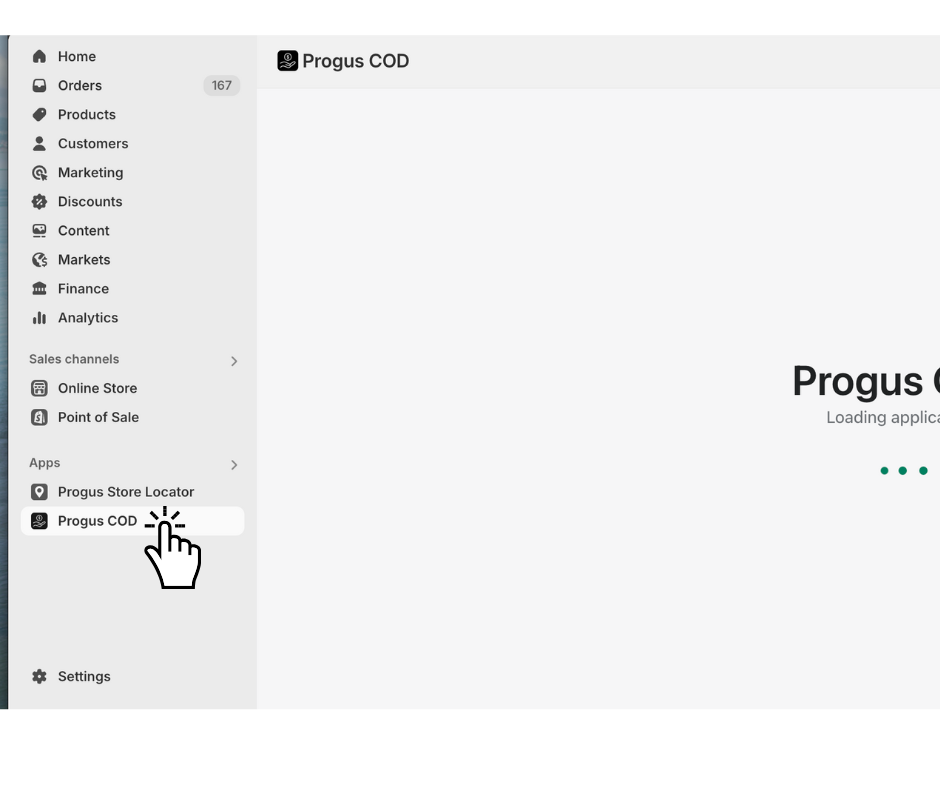
Step 1: Go to the dashboard of the Progus COD app.
Start on the main page of the Progus COD app.
Step 2: Add a visibility rule
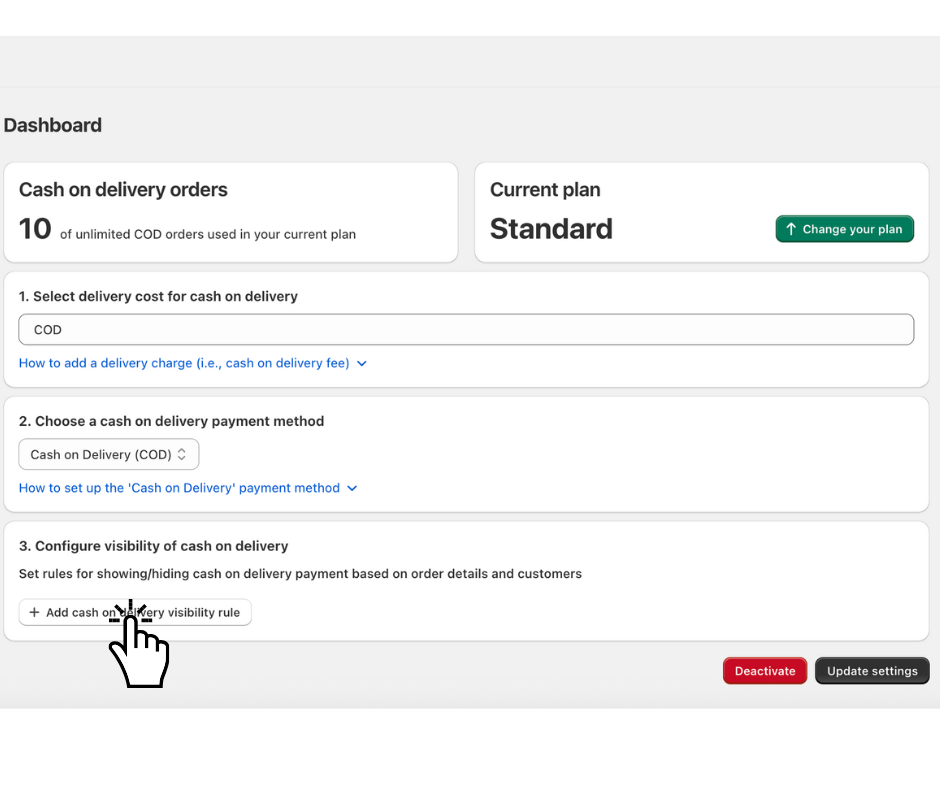
Find and click the "Add cash on delivery visibility rule" button.
Step 3: Choose the condition
A new configuration form will appear.
Example: Hide COD shipping option for a specific customer
Imagine you want to prevent a customer with the email [email protected] from selecting the COD option.
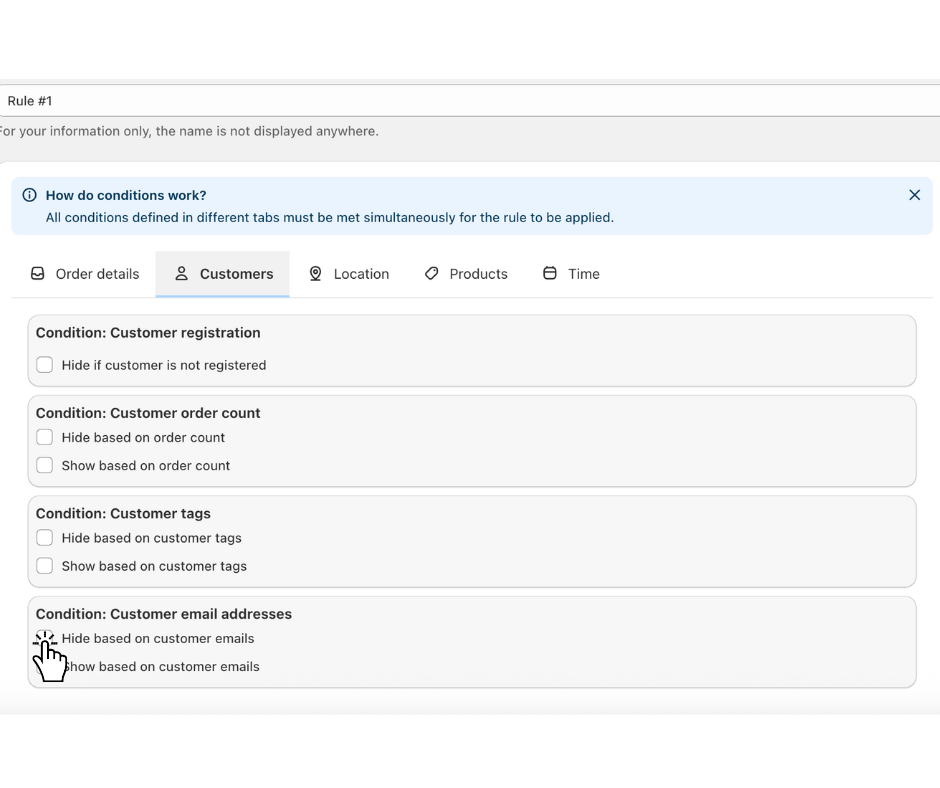
Open the “Customers” tab.
Find the “Condition: Customer email addresses” section.
Check the box next to “Hide based on customer emails”.
Step 4: Set the value
A text box will appear. Enter the email addresses that should trigger the rule. You can enter one or more emails, separated by a comma or semicolon.
In the text box, type: [email protected]
click “add” button
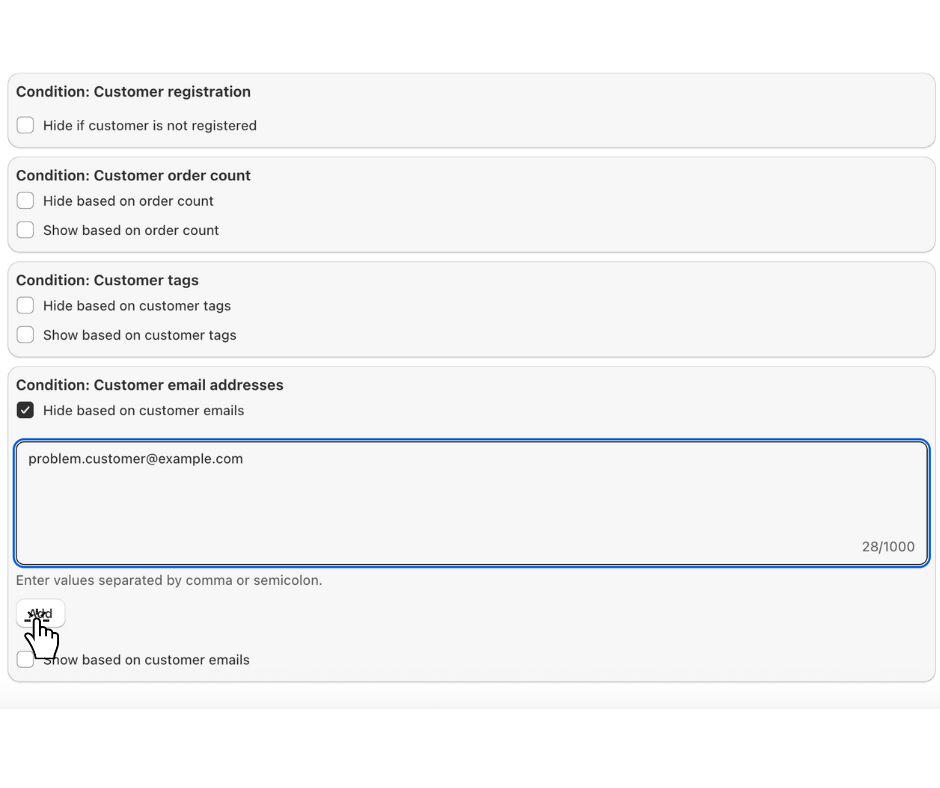
This rule means: "If a customer is logged in with the email address '[email protected]', hide the COD shipping option."
> Tip: You can use the “Show based on customer emails” option to do the opposite. For example, you could create a special shipping rate and make it visible only to a specific customer's email address.
Step 5: Save your rule
In the top-left corner of the form, click “Save”.
That's it! Your shipping rate will now be dynamically hidden or shown at checkout based on the customer's email address, allowing you to manage shipping options on an individual basis.
