Before you can use our app to manage COD fees or set visibility rules, you first need to activate the "Cash on Delivery" payment option directly in your Shopify settings.
This guide will show you exactly how to do it in just a few clicks.
⚙ 1. Go to Settings
From your Shopify Admin dashboard, navigate to Settings in the bottom-left corner.
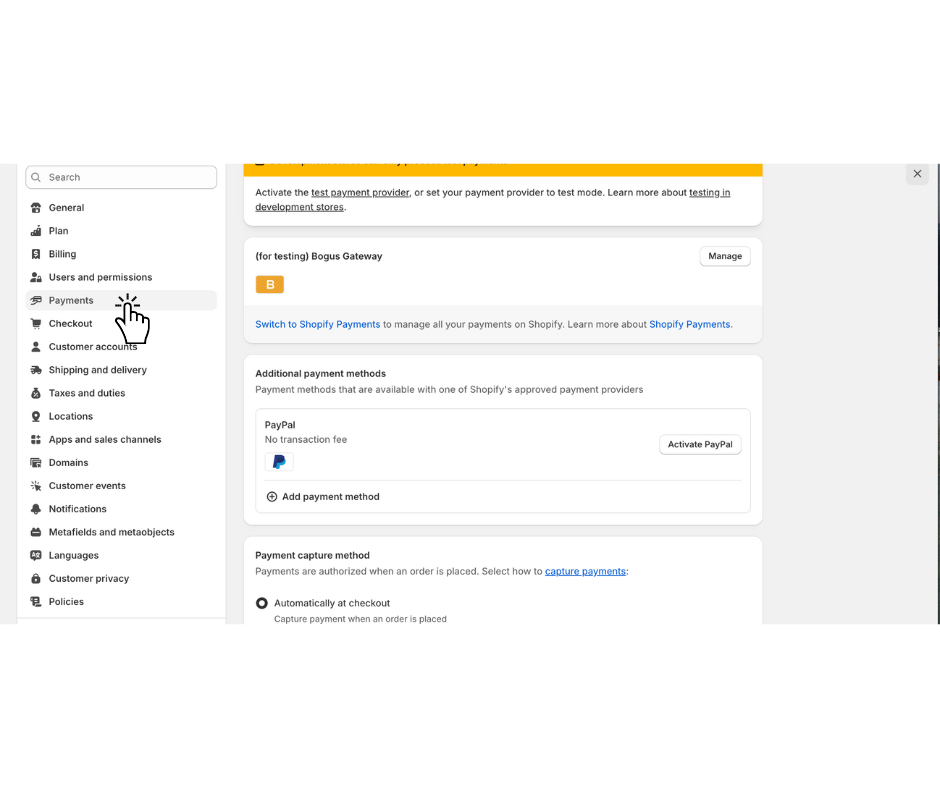
💳 2. Open Payments
In the Settings menu, click on Payments.
👆 3. Add Cash on Delivery (COD)
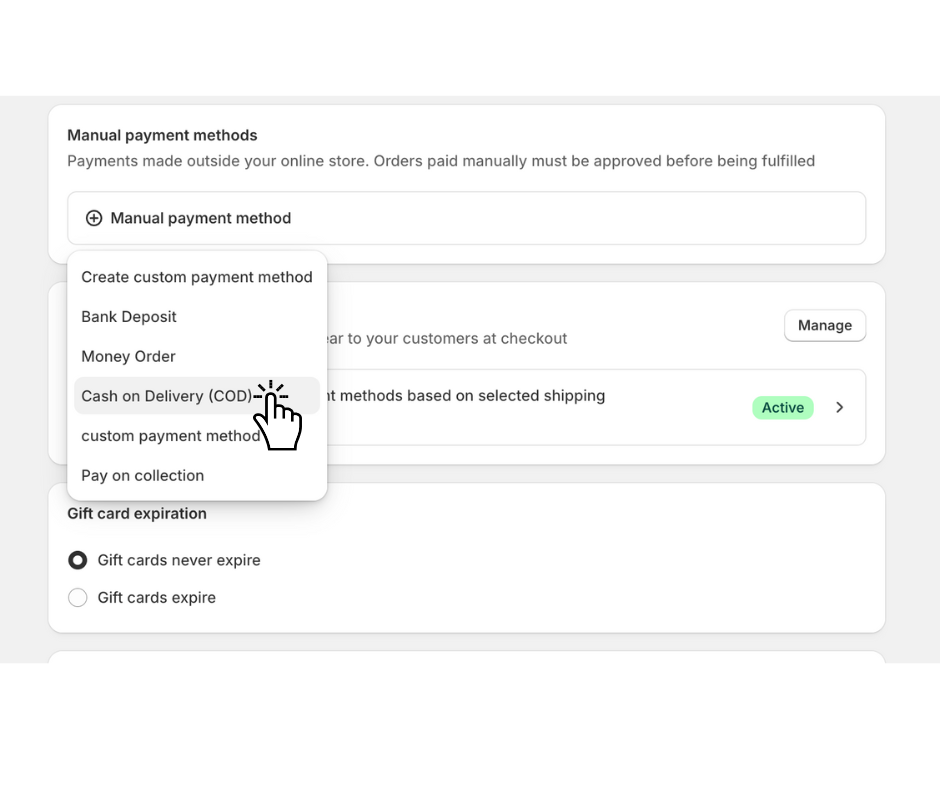
Scroll down to the Manual payment methods section. Click the "Add manual payment method" dropdown and select Cash on Delivery (COD).
📝 4. Add Instructions (Optional)
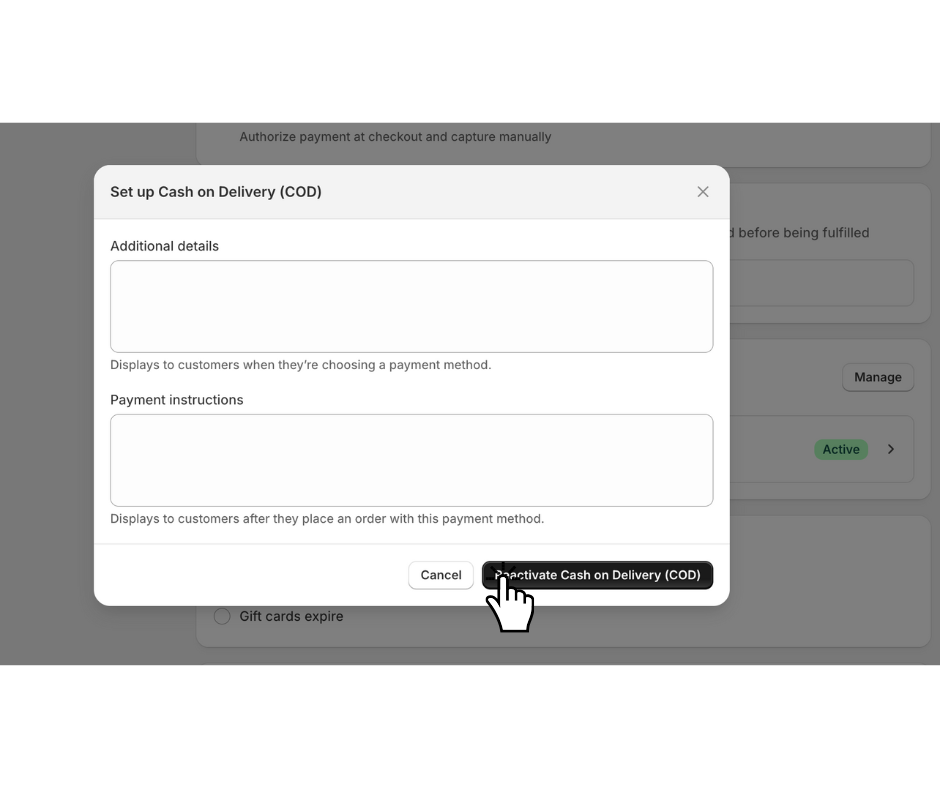
A new window will open. Here you can add any additional details or payment instructions for your customers if you wish.
✅ 5. Activate
Click the Activate Cash on Delivery button to save your changes.
🎉 Congratulations!
Cash on Delivery is now enabled as a payment option in your store. The next critical step is to create a dedicated shipping rate that will include your COD fee.
➡ Next Step: [Link to Article 3: How to Connect Your Shipping Rate in the Progus COD App]
