A customer's order history can tell you a lot. You might want to use this information to reward loyal shoppers with special perks or to limit risk from first-time buyers. Controlling shipping rate visibility based on their total order count is a perfect way to do this.
For example, you could:
Hide the COD-enabled shipping option for brand new customers (those with 0 past orders).
Show a special "VIP Shipping" rate only for customers who have made 5 or more purchases.
This guide will show you exactly how to set this up.
Before you start:
This guide assumes you have already connected a shipping rate to your COD payment method. If you haven't, please follow this guide first:
How to Connect Your Shipping Rate to Cash on Delivery payment method.
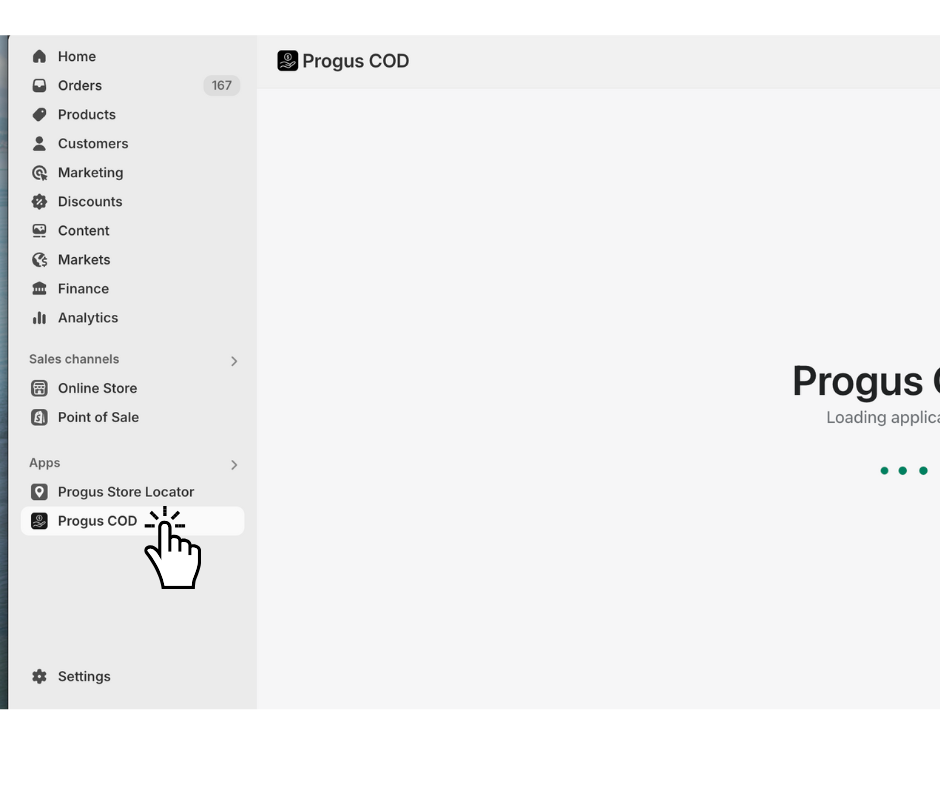
Step 1: Go to the dashboard of the Progus COD app.
Start on the main page of the Progus COD app.
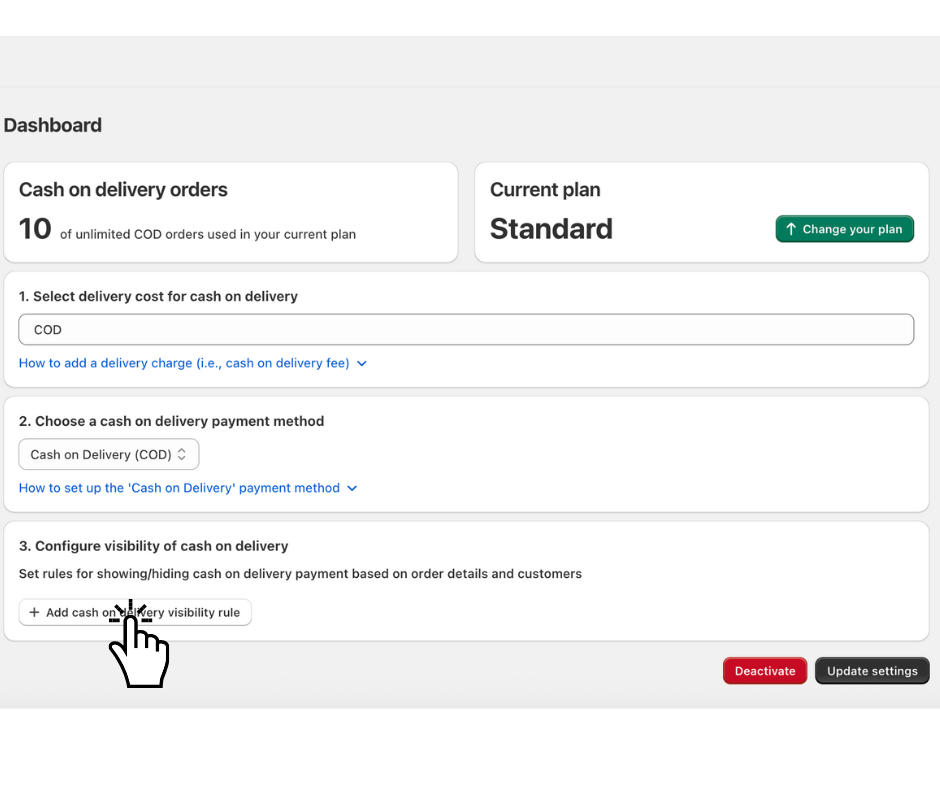
Step 2: Add a visibility rule
Find and click the "Add cash on delivery visibility rule" button.
Step 3: Choose the condition
A new configuration form will appear.
Example: Hide the COD shipping option for customers with more than 3 orders.
Imagine you want to reward loyal customers who have placed a certain number of orders.
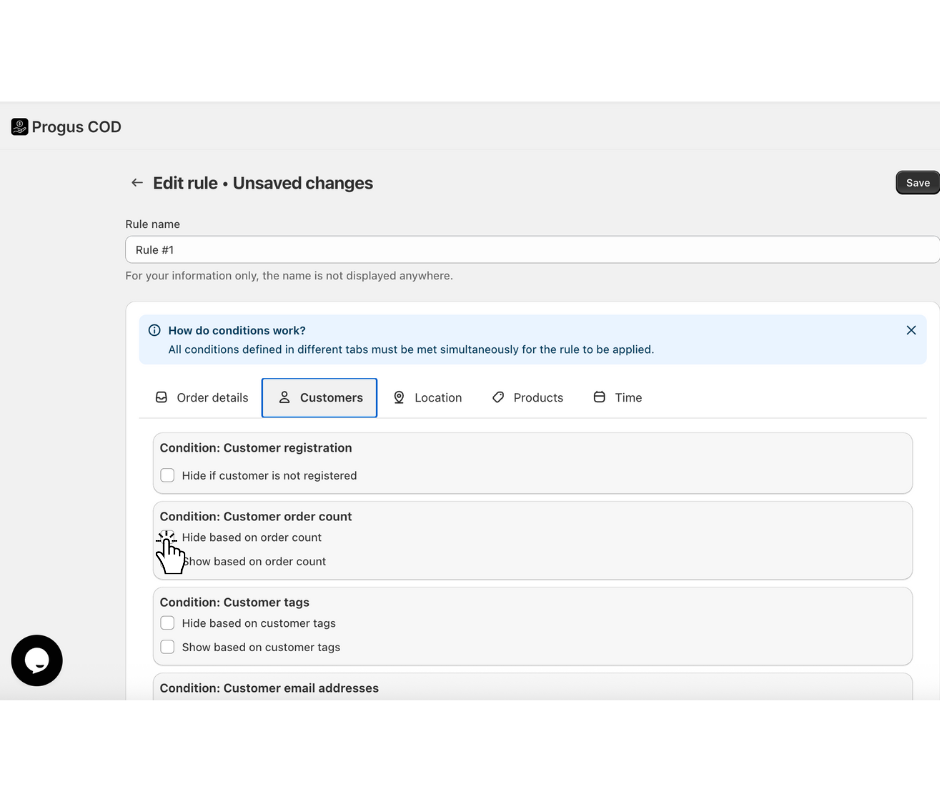
Open the “Customers” tab.
Scroll to the “Condition: Customer order count” section.
Click and select the option “Hide based on order count”.
Step 4: Set the value
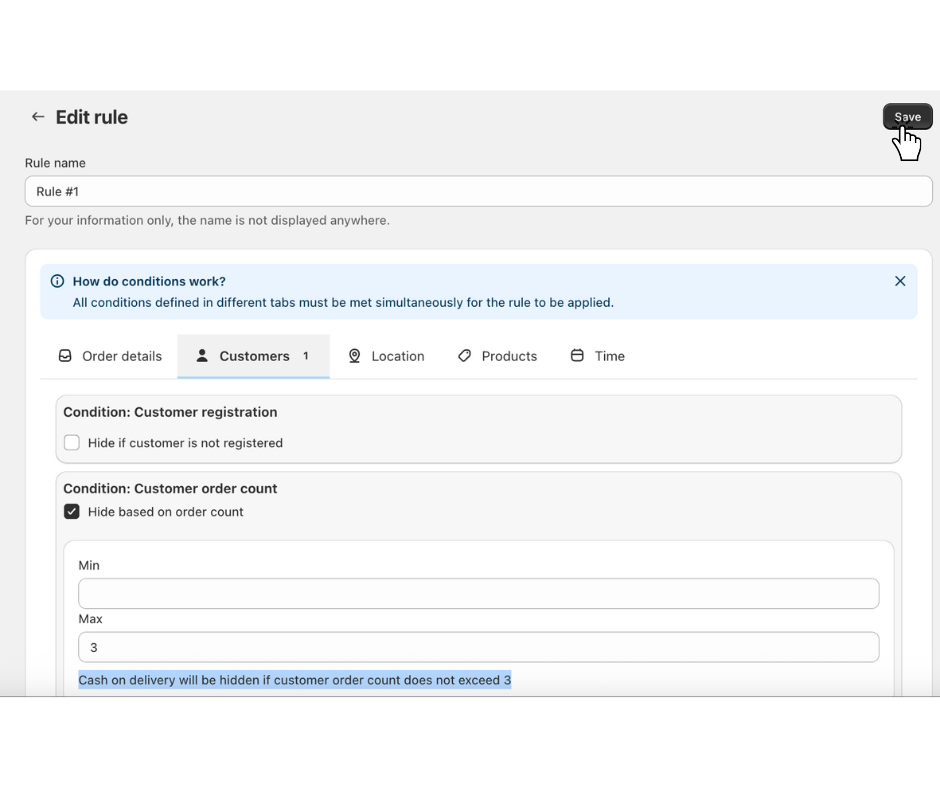
Input fields labeled Min and Max will now appear. You can use them to define the order count that will trigger the rule.
To hide the shipping option for a customer with less than 3 orders, set the range as follows:
Leave the Min field empty.
In the Max field, type 3.
This rule means: "Hide the COD shipping option if the customer's total number of past orders is less than 3."
> Tip: To hide the option for customers with fewer than 5 orders, you would set Max to 4. To hide it for customers with more than 10 orders, you would set Min to 11.
Step 5: Save your rule
In the top-left corner of the form, click “Save”.
That's it! Your Cash on Delivery shipping rate will now be intelligently hidden at checkout for customers based on their order history, allowing you to tailor the shopping experience.
