Offering Cash on Delivery can sometimes be risky, especially for orders from guest customers who haven't created an account. To encourage registration and increase order security, you can choose to hide your COD-enabled shipping rate from all non-registered users.
This guide shows you how to enable this feature in one simple step.
Before you start:
This guide assumes you have already connected a shipping rate to your COD payment method. If you haven't, please follow this guide first:
How to Connect Your Shipping Rate to Cash on Delivery payment method.
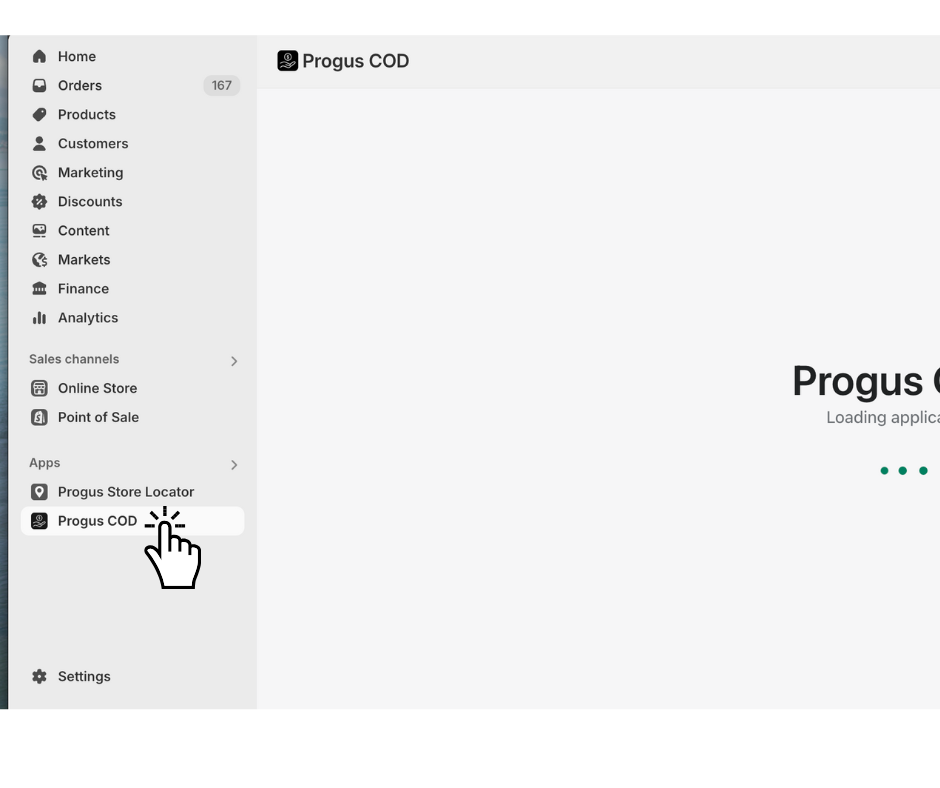
Step 1: Go to the dashboard of the Progus COD app.
Start on the main page of the Progus COD app.
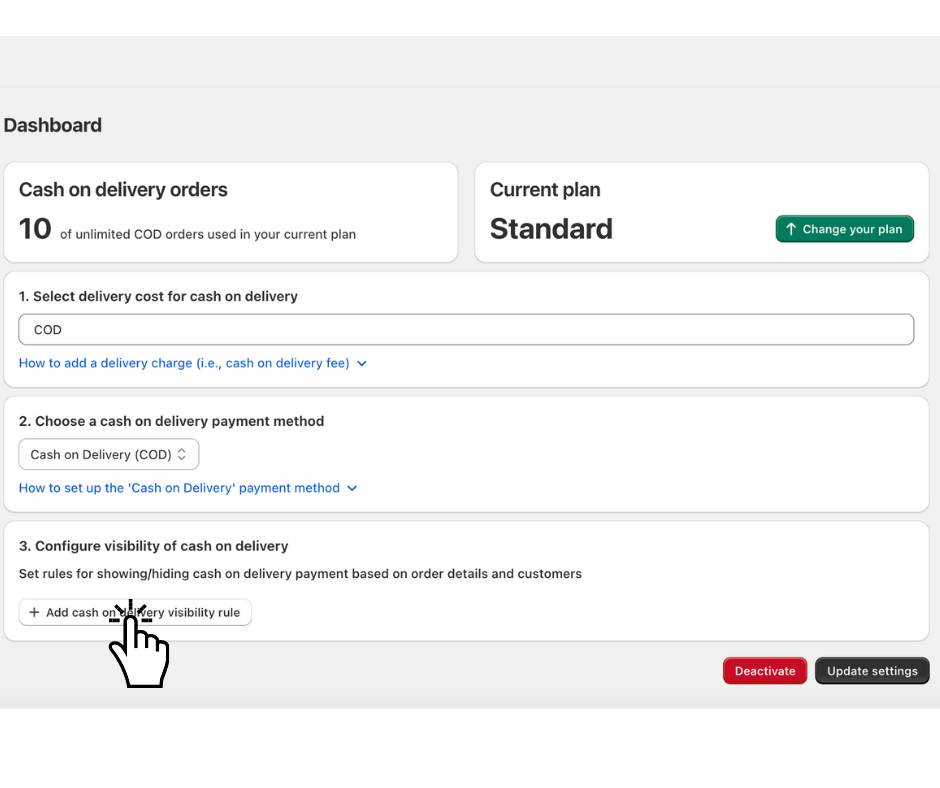
Step 2: Add a visibility rule
Find and click the "Add cash on delivery visibility rule" button.
Step 3: Enable the condition
A new configuration form will appear.
Open the “Customers” tab.
Find the “Condition: Customer registration” section.
Simply check the box next to “Hide if customer is not registered”.
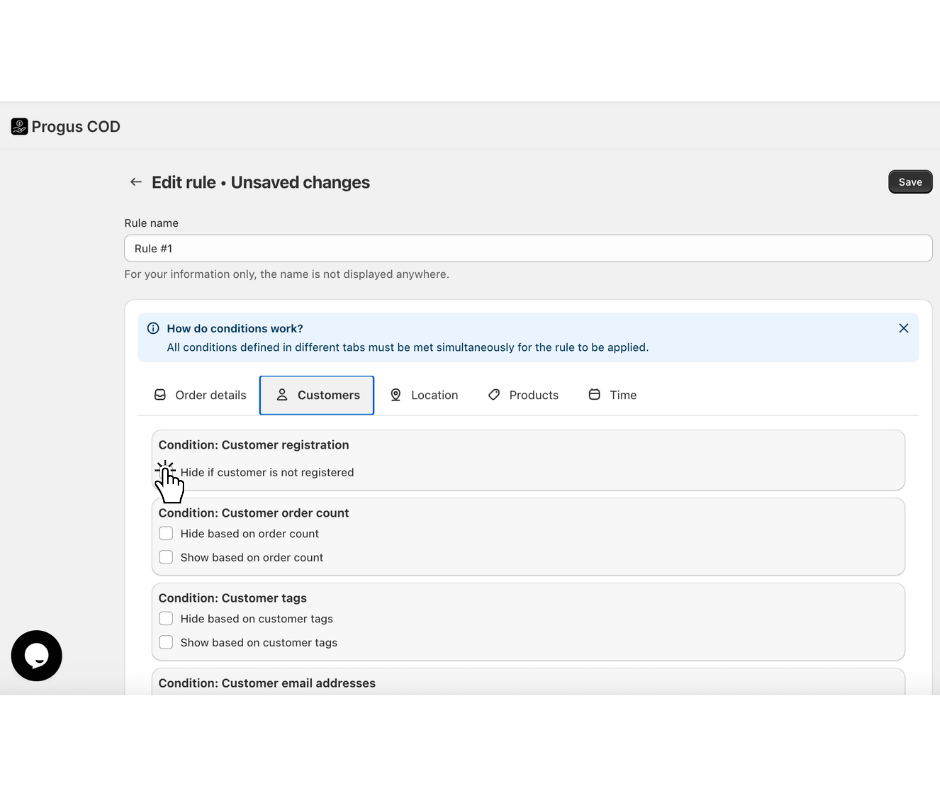
Unlike other conditions, there are no values to input. It's just a simple on/off switch.
Step 4: Save your rule
In the top-left corner of the form, click “Save”.
That's it! With just one click, your Cash on Delivery shipping rate is now exclusively available to logged-in, registered customers, adding a simple layer of security to your checkout process.
